
Vendor Mode, inside the Upsleeve app
Run your table from your phone.
Vendor Mode prices a buy, a trade or a sale in seconds, keeps your stock and its stickers in line with today's market, and adds up the show when the doors close. For people who sell Pokémon cards at shows.
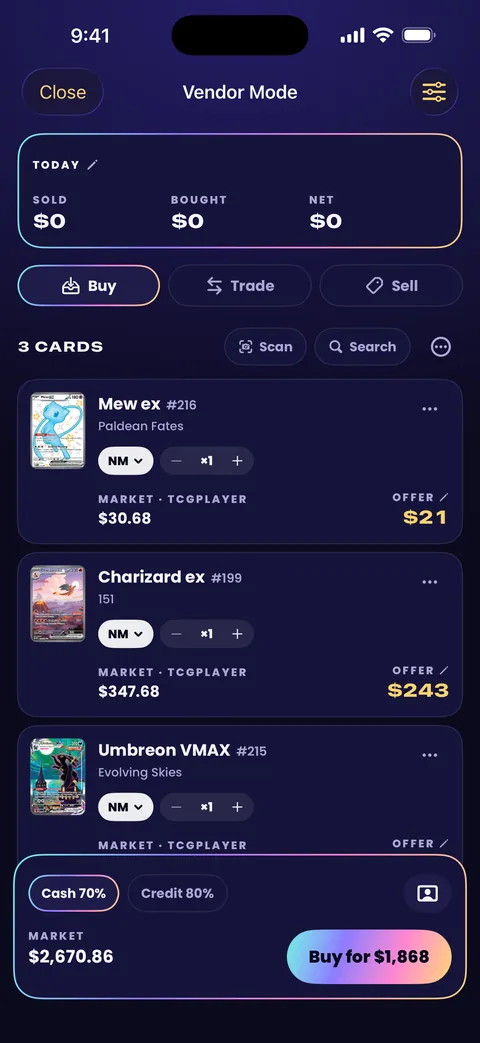
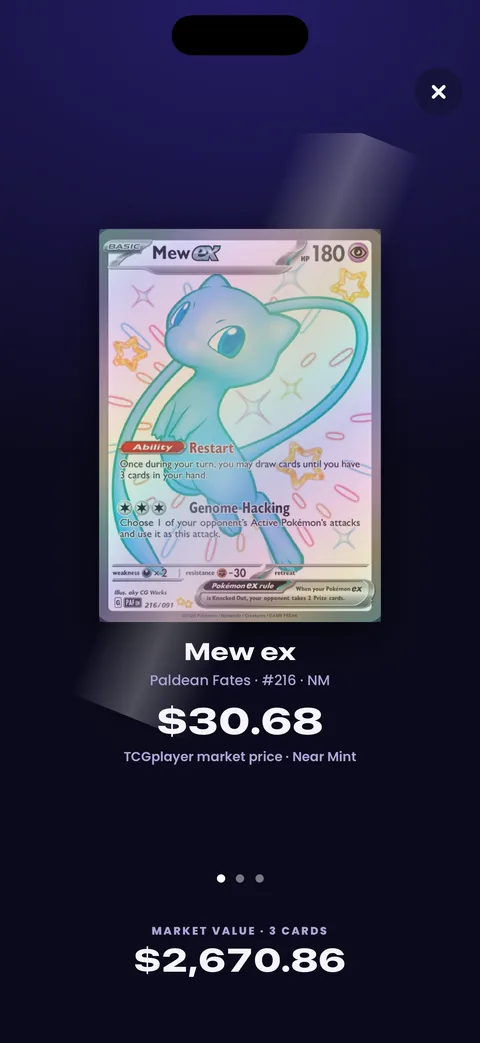
A deal, start to finish
Three tabs for the three things that happen at a table, each priced by your own rules.
-
Buy
Scan a customer's stack, or search a card. Each one shows its market price beside your offer, in cash or in trade credit, and the stack adds up as you go.
-
Trade
Their cards at your trade credit, yours at your stickers. Vendor Mode works out the difference: who adds what, or an even trade.
-
Sell
A card from your stock comes up at its sticker. Agree another price and type it in, and the deal uses that one.
-
Raw or graded
Pick a card's condition, or mark it as a slab with its grader and grade, and the price and your offer follow.
-
The customer's side
Turn the phone around on any deal. The customer sees the cards with their market value on a buy, both sides of a trade, or the price on a sale. Your costs and margins stay on your side.
-
Paid, with a receipt
Record how it was paid: cash, card, a payment app or store credit. Hand over a receipt as a picture, and if the deal falls through, undo takes the whole thing back.
Your stock, priced for today
Mark what's for sale, cards and sealed products, with a sticker price on each, and note where a card sits: a case, the show binder, a box.
When the market moves away from a card's sticker, Vendor Mode flags it: “Market is up: $125 today.” Before a show, “Get ready for the show” lists every missing or stale sticker beside today's price and writes the ones you leave ticked in one tap.
Cards you buy at the table go into your stock by default, and a sold card leaves it.
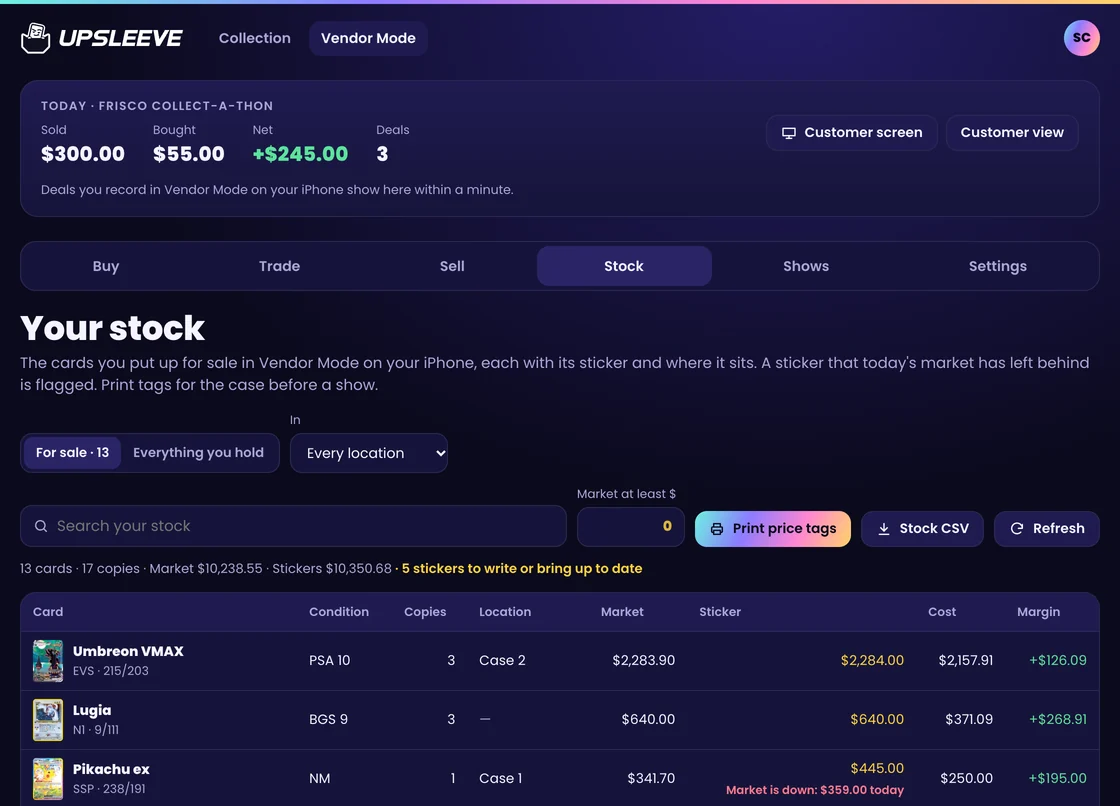
Vendor Mode in a browser, shown with a sample account.
-
Your percentages
70% in cash, 80% in trade credit and 100% of market on stickers to begin with. Change them, and give cards under a price or over one rates of their own. Offers round down and stickers round up, if you like.
-
Price tags
A tag for every sticker: 30 to a sheet of address labels, or one at a time for a DYMO or Brother roll and 50 × 30 or 40 × 30 mm labels. Print with AirPrint, or open them in your printer's app.
-
Spreadsheets
Download your stock as a spreadsheet, with stickers, market prices, costs and locations. Edit it and bring it back in.
The show, added up
Start a show with where it is, its days, the table fee and your other costs. Every deal you record meanwhile is kept under it.
When the doors close you see what the show made after the cards' cost, the table and your costs, the money by payment method, and whether the cash box is over, short or right against your count.
For your books, one spreadsheet has every card of every deal, with cost and profit on the sold ones, from one show or from all of them.
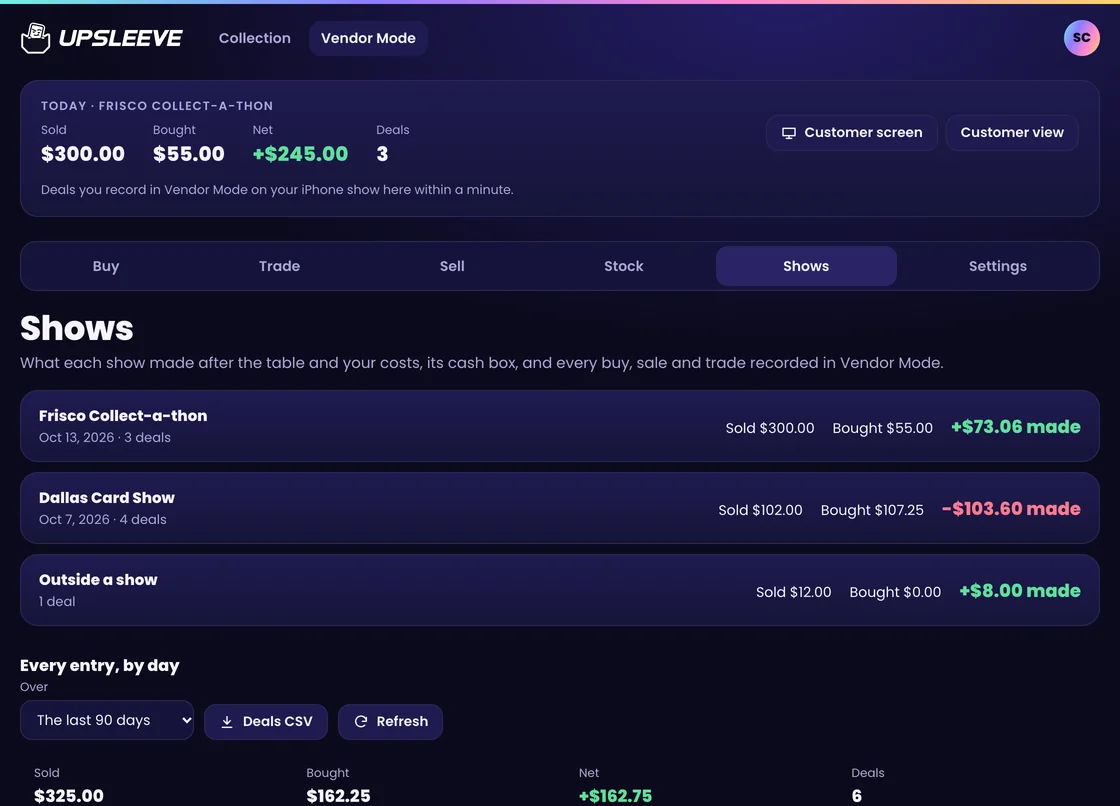
Shown with a sample account.
Built for the show floor
Convention halls have bad signal, long days and more than one pair of hands.
-
Ready for a bad signal
Fetch today's prices for your whole stock before the doors open, and Stock, Sell and Trade work without signal. A customer's card says “Waiting for signal” and prices itself when it's back.
-
Two phones, one table
Sign two phones in to the same account. A deal recorded on one reaches the other within a minute, and a card sold on both is flagged so you can undo one.
-
On a computer
Sign in at upsleeve.app and Vendor Mode opens in a browser: price a stack, weigh a trade, print tags and read your shows, with a second screen to face the customer. Recording a deal happens on the phone.
Price checks are free
Use Vendor Mode at a table for as long as you like without paying. Upsleeve Pro is for keeping the records.
Free
Everything you need to quote a price.
- Scan a stack, or search any card
- Offers in cash and trade credit, by your percentages
- The customer view
- Weighing a trade
Upsleeve Pro
The records, the stock and the books.
- Record your buys, trades and sales
- Your stock, with stickers and locations
- “Get ready for the show”
- Price tags and spreadsheets
- Shows, the cash count and the books
Pro is one subscription for the whole app, billed by Apple on iPhone and by Google Play on Android. Cancel any time in your iPhone's Settings or in the Play Store. See everything in Pro.
Questions
Is Vendor Mode a separate app?
No. It's part of Upsleeve: open the + menu and choose Vendor Mode. You can also switch on a Vendor Mode tile on the app's Home tab.
Which cards does it cover?
Pokémon TCG cards, in English and Japanese, raw and graded, and sealed products.
Where do prices come from?
Prices come from PokeTrace. Raw card values use TCGplayer market data for English cards, updated several times a day. Graded values come from sold listings. Every price is an estimate.
Which printers work for price tags?
Upsleeve makes your tags as a PDF. The sheet is 30 address labels (1 × 2⅝ in) on a US Letter page. The label sizes are 2¼ × 1¼ in (DYMO 30334), 62 × 29 mm (Brother DK-1209), 50 × 30 mm and 40 × 30 mm. Print with AirPrint, or open the PDF in your printer maker's app. Upsleeve doesn't connect to a Bluetooth-only printer directly.
Is my own collection kept apart from my stock?
Yes. Only the cards you mark for sale are in your stock. Cards you buy at the table go into it by default, and a switch turns that off.
Can I use it on a computer or an Android phone?
Yes. Vendor Mode is in the app on iPhone and Android, and on any computer, sign in on this site with the same account to price cards, print tags and read your shows in a browser.
More answers on the Support page.

Out now on the App Store and Google Play
Upsleeve for iPhone and Android is here. See the rest of the app.
Download on the App Store Get it on Google Play